Everything about your servers, in one console
A web terminal and the remote desktop, monitoring and alerts, network devices and firewalls, access control with roles, MFA, single sign-on and an audit log - for Linux, Windows and macOS, through lightweight agents. Updates and software too. On your own infrastructure.
- Terminal and remote desktop in the browser
- Monitoring, alerts and network devices
- Private WireGuard overlay network
- Roles, MFA, single sign-on, audit log
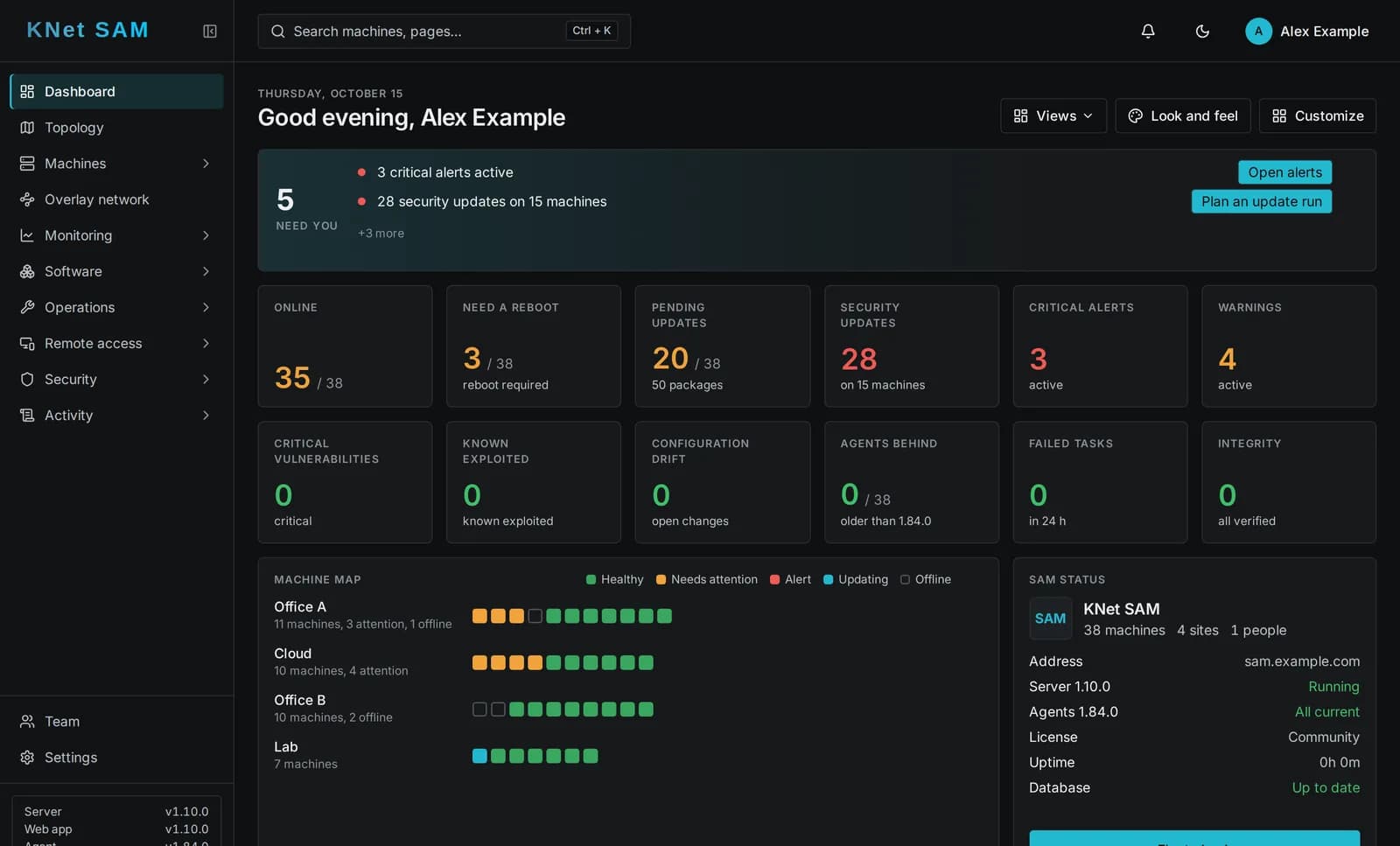
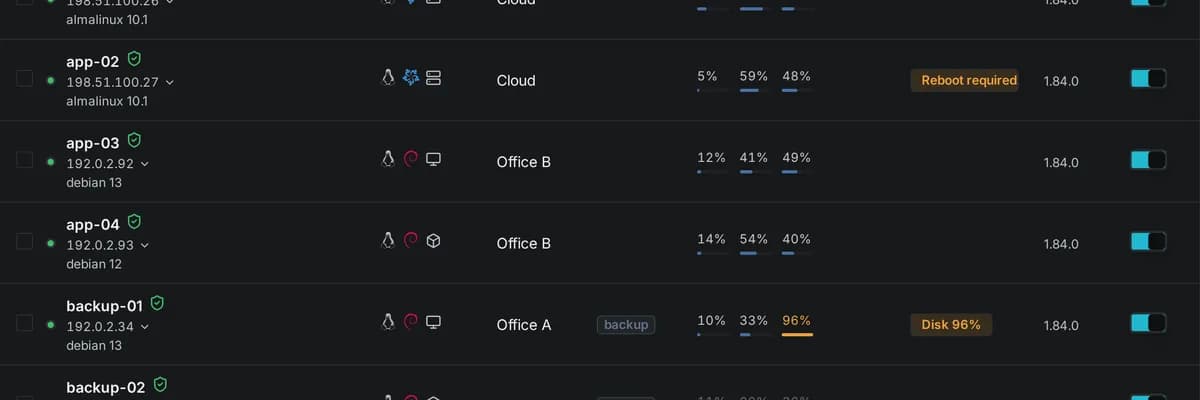
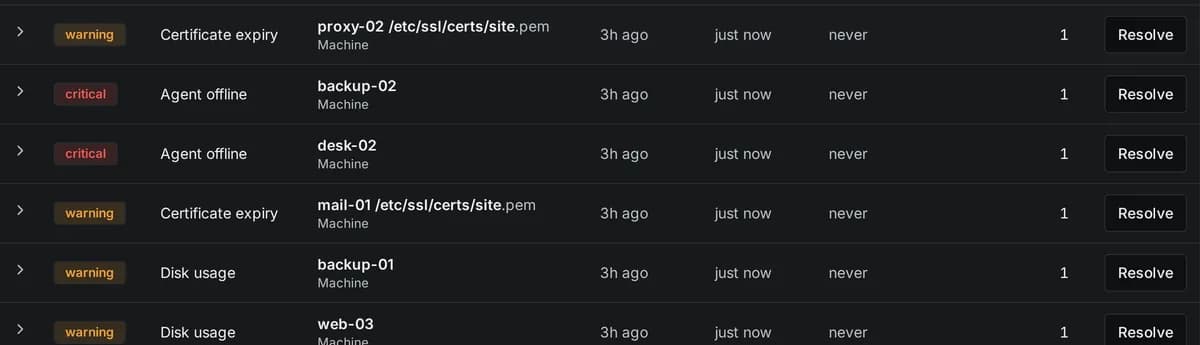
Everything in one console
A small agent on each machine connects out to your KNet SAM server. No inbound ports on the machines, and the machine's own policy has the last word.
Web terminal
An interactive terminal in the browser, through the agent: persistent shells, tabs side by side, optional session recording.
Remote desktop
The machine's graphical desktop in the browser, prepared with one click; shared sessions with hand-over of control.
Monitoring and alerts
Health, uptime, disks, certificates, scheduled checks and configuration drift, with alerts in the console, by e-mail, to webhooks and ticketing.
Network devices
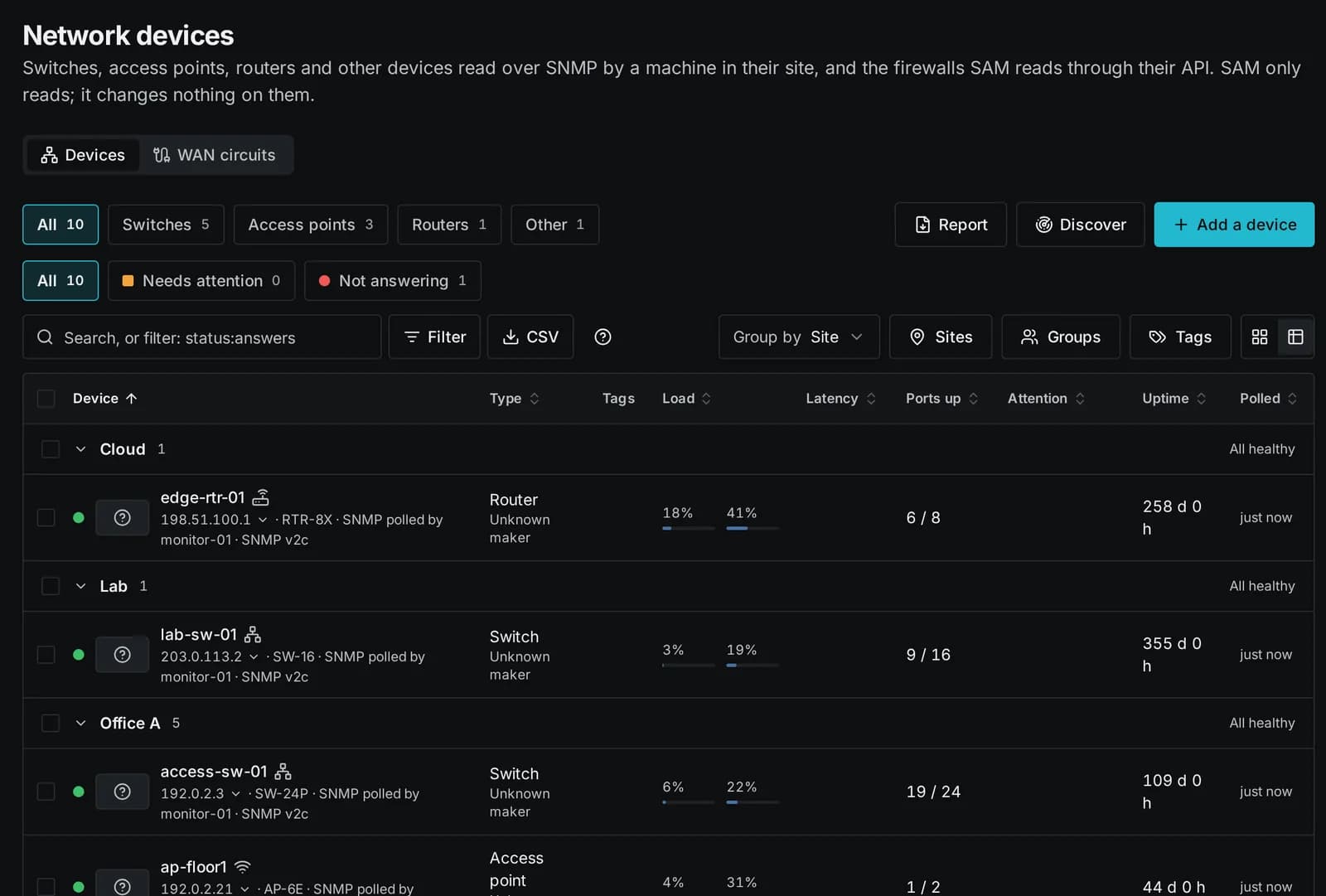
Switches, access points, routers and UPS over SNMP, with flows, traps and syslog; firewalls read through their API, never changed.
Access control
Roles, machine groups, multi-factor authentication, single sign-on (OpenID Connect, SAML, LDAP) and an audit log of every change.
Linux, Windows, macOS
Agents for the common Linux distributions, Windows and macOS, kept up to date from the console.
Overlay network
A private WireGuard network run by SAM: every machine reaches SAM through a tunnel, and machines reach each other only through grants.
Local policy
Each machine decides what SAM may do on it, in a policy on the machine that the server cannot override.
Updates and packages
Install, update and remove packages across the fleet, roll out updates in waves, hold packages and reboot only where needed.
Files and services
Browse, upload and download files, move them between servers, and control services, processes and scheduled jobs.
Reports
Patch status, uptime, certificates and network reports as PDF or CSV, kept and mailed on a schedule, with your branding.
Self-hosted
Runs on your own servers in Docker, with high availability on two nodes when you need it, and encrypted backups.
The agent calls home, you work in the browser
Each machine runs a small agent that keeps one connection open to your KNet SAM server. You and your team work in the web console; scripts use the same API.
An agent on each machine
Linux, Windows or macOS. It reports the machine's state and runs the tasks SAM sends - only those its local policy allows.
KNet SAM on your server
Self-hosted with Docker, with its own PostgreSQL database. It keeps the inventory, checks every request against roles and machine groups, and logs every change.
You, in the browser
Dashboards, updates, terminal and desktop, alerts and reports - or the REST API with a personal token.
Your own private network, run by SAM
KNet SAM runs a private WireGuard network of its own. Every machine gets an address in your installation's own private range and reaches SAM through an encrypted tunnel. Between machines nothing is open until you allow it.
- Access between machines only through grants: from which machine, group or site to which, on which ports, and for how long - an hour, a day or until removed
- Direct paths: two Linux machines that share a grant talk straight to each other when their networks allow it, otherwise through the hub
- Names on the overlay: machines with a grant reach each other by name, and SAM answers those names only to the machines that may know them
- Linux, Windows and macOS, built into the agent: no separate VPN product on the machines, and no conflict with the VPNs already there
- Laptops and phones join with the standard WireGuard app, from a configuration or QR code, for a limited time if you like, revoked at once
- Every machine and device: an encrypted tunnel to SAM
- A direct path where a grant allows it
- No grant: no access between machines
You stay in control of each machine
Whoever runs a machine decides what KNet SAM may do on it. That choice lives in a local policy on the machine itself: the agent enforces it, and the SAM server cannot override or widen it.
- Allow or refuse by kind of action: commands and scripts, the terminal, the remote desktop, files, software and updates, services, the firewall, local accounts, web apps, the overlay network, reboots, SSH keys
- Chosen when the agent is installed and changed later on the machine - or keep a machine to monitoring only
- SAM hides what a machine does not allow, and says why when the machine refuses
- A refused request raises an alert, and every change to a machine's policy is recorded in the audit log
Local policy of this machine
Set on the machine - the server cannot override it
- Monitoring and inventoryalways on
- Install pending updatesallowed
- Run commands and scriptsallowed
- Terminalallowed
- Remote desktopnot allowed
- Browse and download filesallowed
- Upload and change filesnot allowed
- Change the firewallnot allowed
- Web apps through this machinenot allowed
- Personal SSH keysnot allowed
An example. Refused requests raise an alert in SAM; changes to the policy are recorded in the audit log.
Everyday server work from one place
Each part below is described step by step in the KNet SAM manual.
Terminal and desktop, through the agent
Open a terminal or the graphical desktop of a machine in your browser. The connection runs through the agent's own connection to SAM, so nothing new is opened on the machine.
- Web terminal with persistent shells, tabs and side by side; send a command to several at once
- Remote desktop (RDP, VNC, macOS Screen Sharing), prepared with one click
- Shared sessions with hand-over of control, session recording
- Web apps and connections to devices through SAM, without opening ports
Monitoring, alerts and reports
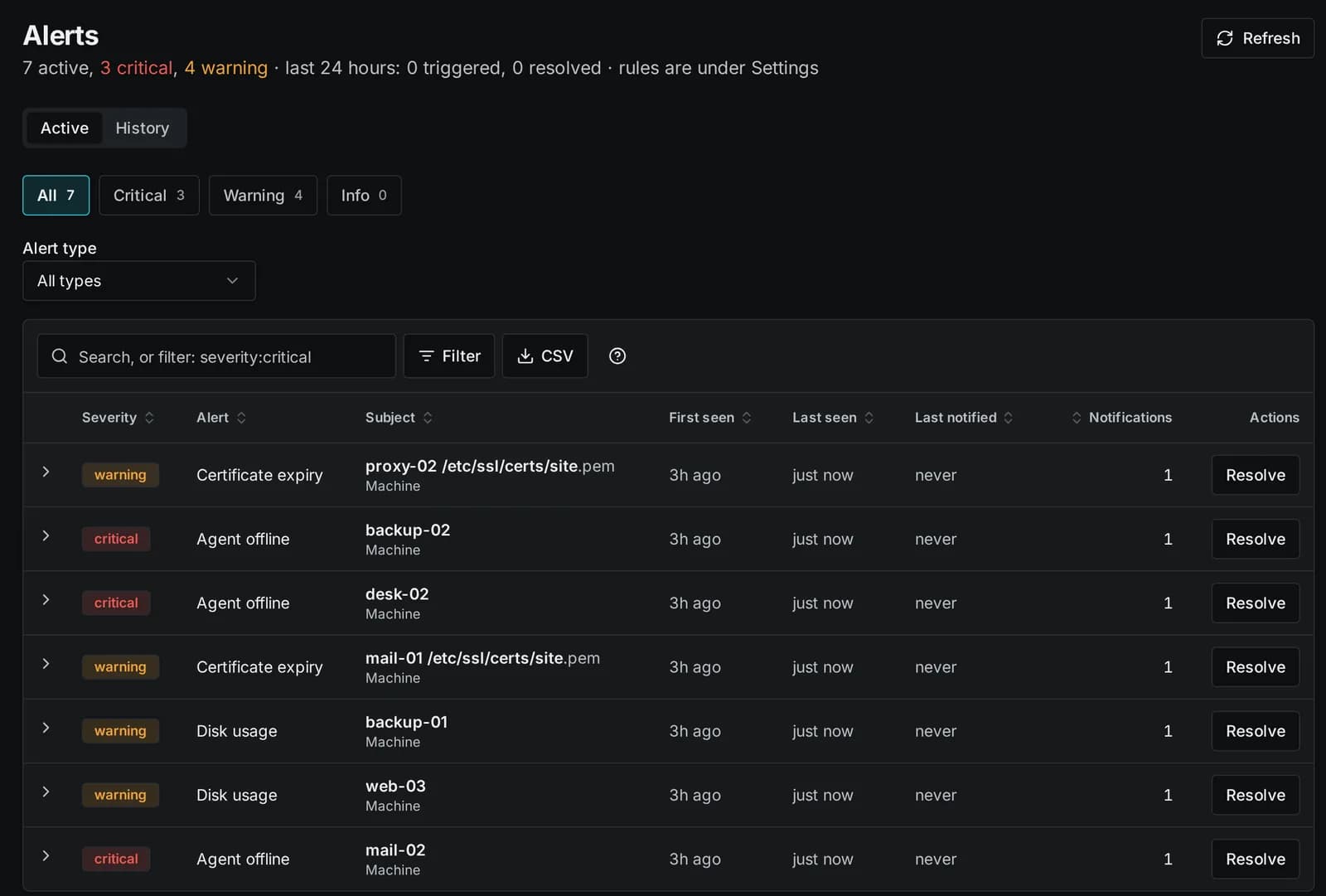
Health, uptime, certificates, scheduled checks, configuration drift and known vulnerabilities, with alerts where your team works.
- Alerts in the console, by e-mail, to Slack, Teams and webhooks, and to ticketing systems
- Uptime and incidents per machine, maintenance windows
- Reports as PDF or CSV, kept and mailed on a schedule, with your own branding
Switches, firewalls and other network devices
Switches, access points, routers and UPS read over SNMP by a machine in their site, with flows, traps and syslog. Supported firewalls are read through their API - SAM only reads, it never changes a device.
- Ports, neighbours, sensors and outages of every device
- Firewall policies, analysis and trends for Palo Alto, FortiGate and Meraki (Enterprise edition)
- Network status reports for a site, a group or the whole estate
Least privilege, by design
Every person sees only the machines of their groups and does only what their role allows; every change is recorded.
- Roles from viewer to owner, machine groups and single-machine grants
- Single sign-on with OpenID Connect, SAML and LDAP; SCIM provisioning; two-factor authentication
- Audit log of every operation; personal API tokens that never exceed their owner
- Agent releases are signed and verified before an agent installs them
Updates and packages for Linux, Windows and macOS
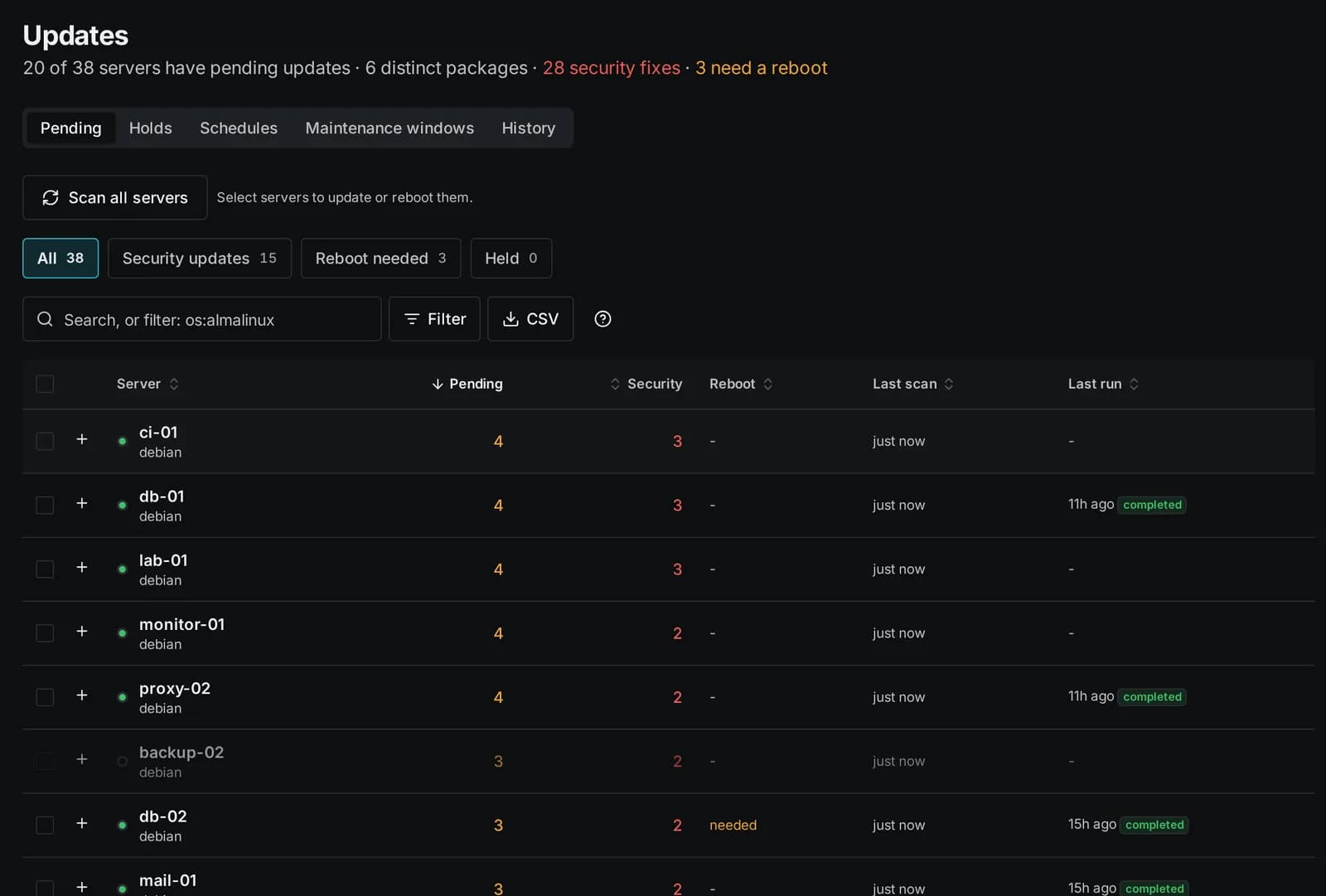
Every machine with its state at a glance: online, updates, reboots, disks. Update the fleet in waves, hold packages that must not move and reboot only where it is needed.
- apt, dnf, zypper, apk and pacman; Windows Update and winget; Homebrew and Apple updates
- Security updates marked as such; holds for one machine, a tag or everyone
- Software catalog with installers and approved versions
- Services, scheduled jobs, users, files and logs of each machine
Self-hosted, highly available, multi-tenant
KNet SAM runs on your own servers in Docker. Grow it when you need to.
- High availability with two nodes and a witness: the database fails over automatically
- Several organisations on one installation, kept apart by the database itself
- Backups of SAM itself, encrypted, to S3, SFTP or SMB